BrewMemo, a privacy-focused note-taking app with Nextcloud synchronization
Digital notes are as much a part of our everyday lives as emails or meetings. Yet many note-taking apps rely on unsecured data processing. BrewMemo takes a different approach: the app combines a clean, minimalist structure with true data sovereignty. And with Nextcloud integration, it also offers a secure sync!
Privacy and security combined:
BrewMemo was developed to give users full control over their data. You will notice that there are no tracking links and no hidden processes. The result is an app that takes privacy seriously.
The combination of strong encryption, ease of use, and the ability to synchronize content via your own Nextcloud makes BrewMemo especially attractive.
BrewMemo integration in Nextcloud Hub: how it works
BrewMemo synchronizes your notes with Nextcloud storage without any third-party services, so your markdown notes and files always remain in your hands. You can be certain that your data stays private and protected with transparent integration.
What can BrewMemo do?
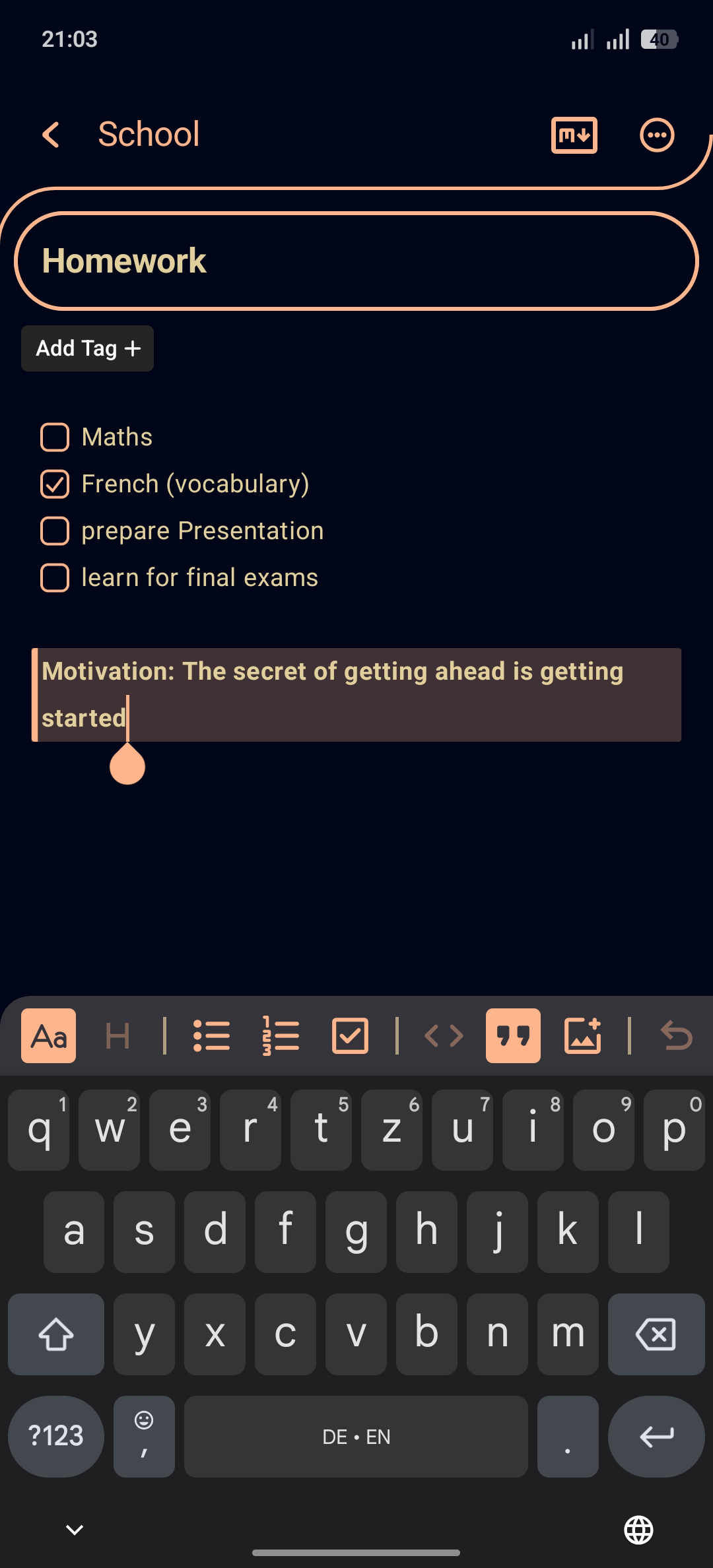
Powerful Markdown editor for clear, structured notes
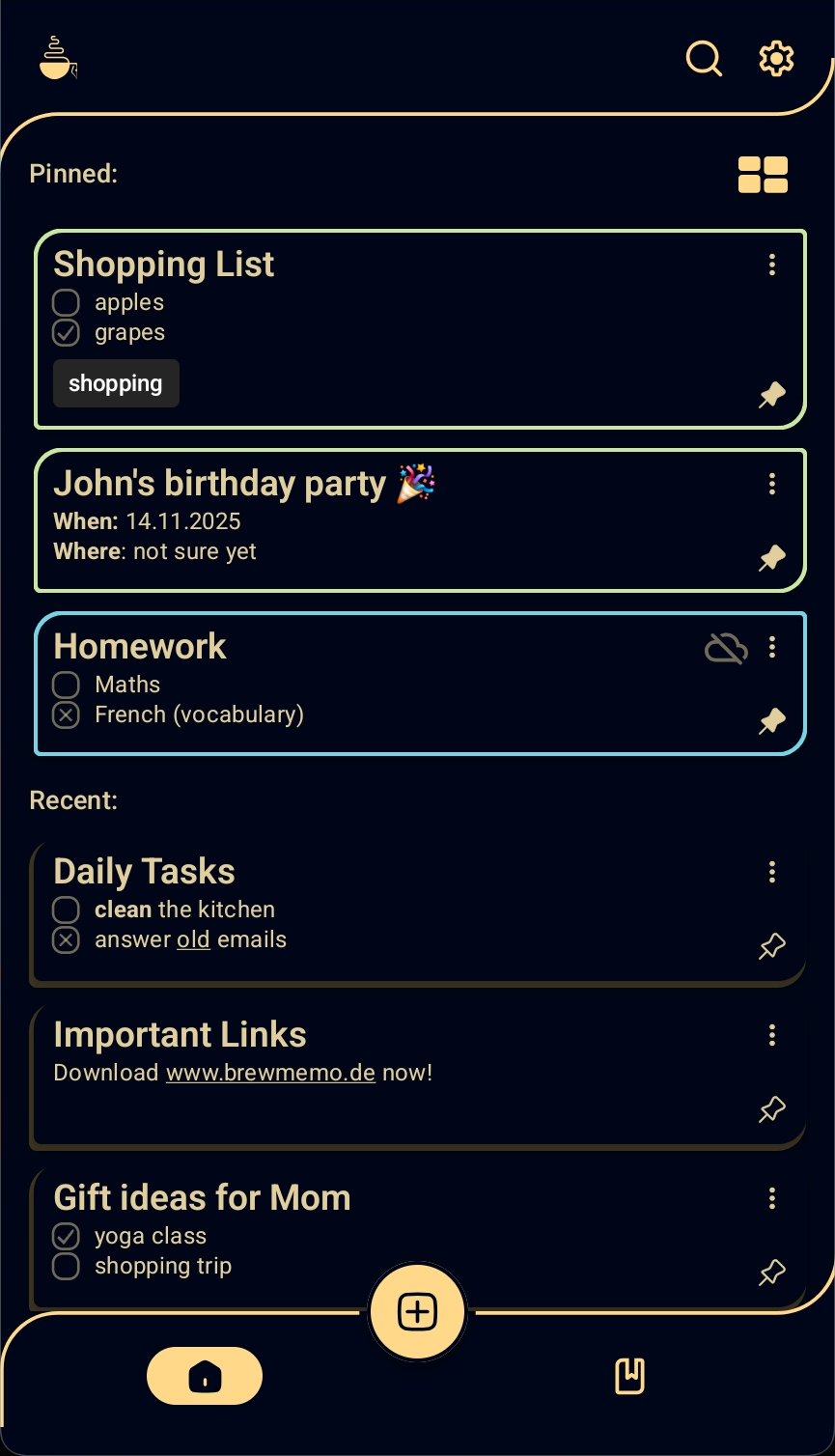
Effortless pinning and tagging
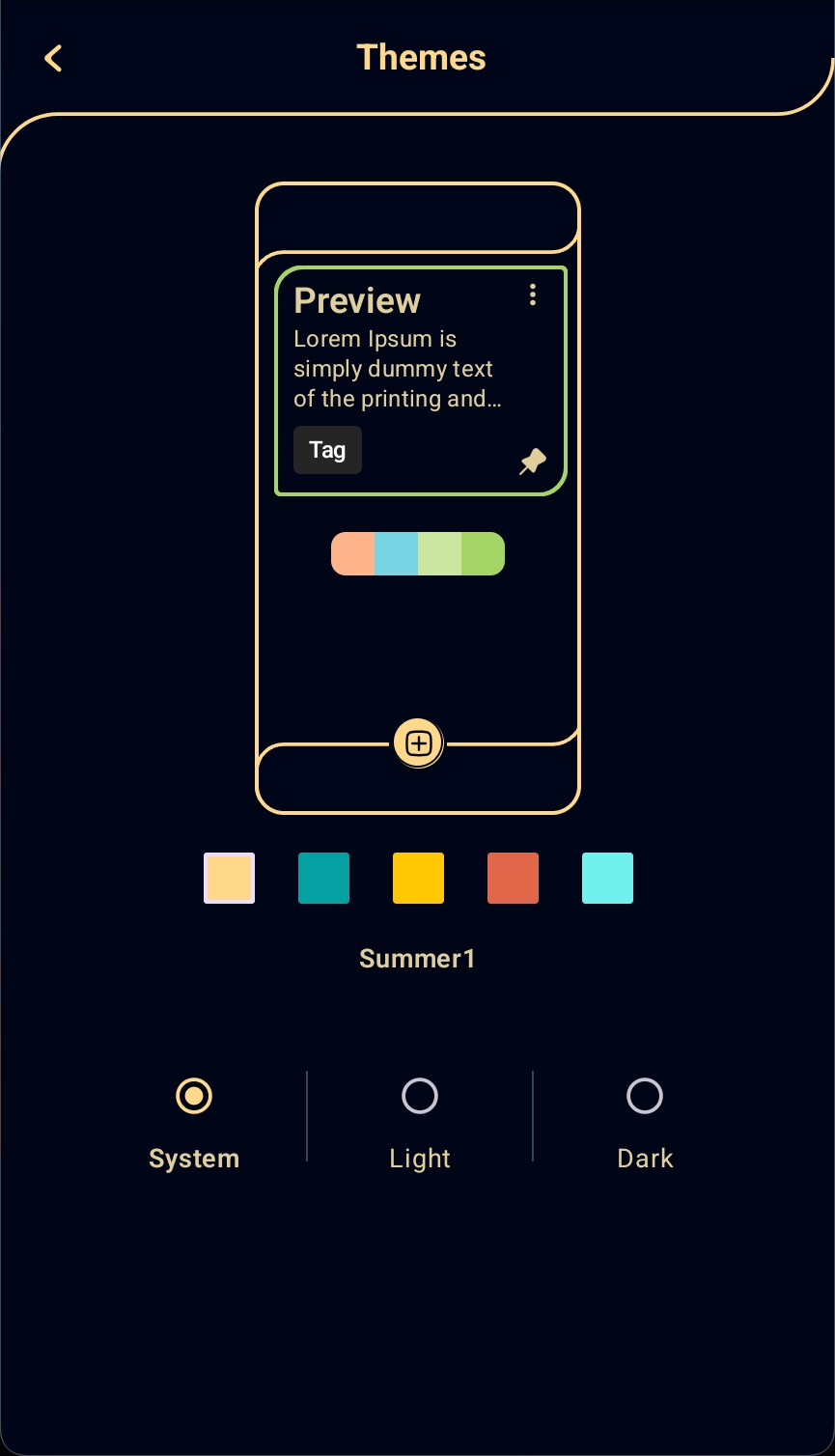
Multiple themes, including dark mode for your personalized notebook
Export as PDF & TXT for full control over your Markdown notes
Fast, intelligent search: Instant access to any note
Flexible workflow: Write offline, sync online
Available on iOS, Android and via Nextcloud web app
Security & compliance for business
BrewMemo is developed by privacy experts based in Germany and is fully GDPR and BDSG compliant. If you are looking for a private cloud, sovereign alternative to Microsoft OneNote, Evernote, or Notion, it can become your team’s new reliable digital notebook.
Get BrewMemo
Start now with BrewMemo, the Markdown editor for secure notes, a private notebook, Nextcloud sync, and uncompromising data protection.
Nextcloud Hub is a fully open source, privacy-first modular collaboration platform that combines all tools a modern team needs: file storage and sharing, document collaboration, chat and meeting tools, tasks and knowledge management, and lots more.
Deeply integrated, it does not lock you in: feel free to customize your Nextcloud, build and integrate your own apps, and run it wherever you want on your terms.
User-focused UX and great interoperability make migration and getting started with Nextcloud Hub very easy.
Time to say goodbye to Big Tech and take control over your data. Take Nextcloud Hub for a test drive today!
Try Nextcloud Hub
Wondering what Nextcloud Hub feel like? Start an instant trial without deployment to see for yourself!
Oggi presentiamo Nextcloud Hub 26 Spring, la nostra versione celebrativa. Ti offre una scelta ancora più ampia di strumenti, un'interfaccia più curata, una collaborazione senza stress e la nuova strategia di piattaforma, che permette agli sviluppatori di sfruttare meglio il nostro vasto ecosistema. costruito insieme, progettato per il futuro
Nextcloud Hub 25 Autumn semplifica l'avvio di una potente collaborazione con il pieno controllo dei tuoi dati. Dagli aggiornamenti del design globale al miglioramento dell'usabilità e delle prestazioni, scopri la nostra ultima release in questo blog.
Le organizzazioni, grandi e piccole, necessitano di una soluzione che garantisca la resilienza e la sovranità digitale delle loro operazioni: un'alternativa open source e rispettosa della privacy a Teams. E oggi presentiamo questa soluzione: Nextcloud Talk.
Want to receive notifications about new messages without relying on Google’s servers? We’ll show you how to set up UnifiedPush for Nextcloud Talk in three steps.
Let's take a closer look at Nextcloud Hub's key components and how they come together to create a unified collaboration platform for your organization.
We save some cookies to count visitors and make the site easier to use. This doesn't leave our server and isn't to track you personally!
See our Privacy Policy for more information. Customize
Statistics cookies collect information anonymously and help us understand how our visitors use our website. We use cloud-hosted Matomo
Service:Matomo
Cookies description:
_pk_ses*: Counts the first visit of the user
_pk_id*: Helps not to double count the visits.
mtm_cookie_consent: Remembers that consent for storing and using cookies was given by the user.
Cookies expiry:_pk_ses*: 30 minutes
_pk_id*: 13 months
mtm_cookie_consent: 30 days